
Google Gemini in Chrome
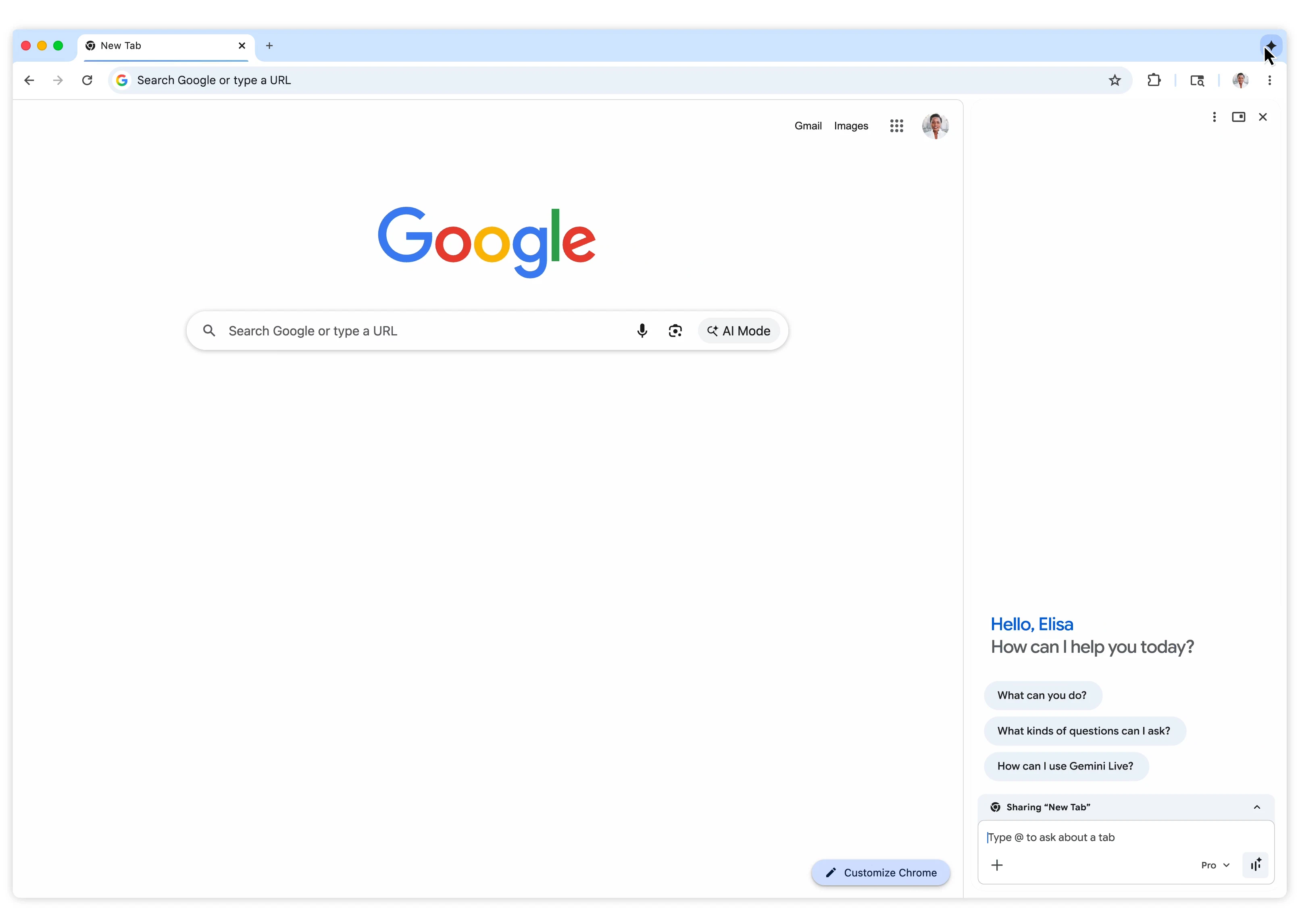
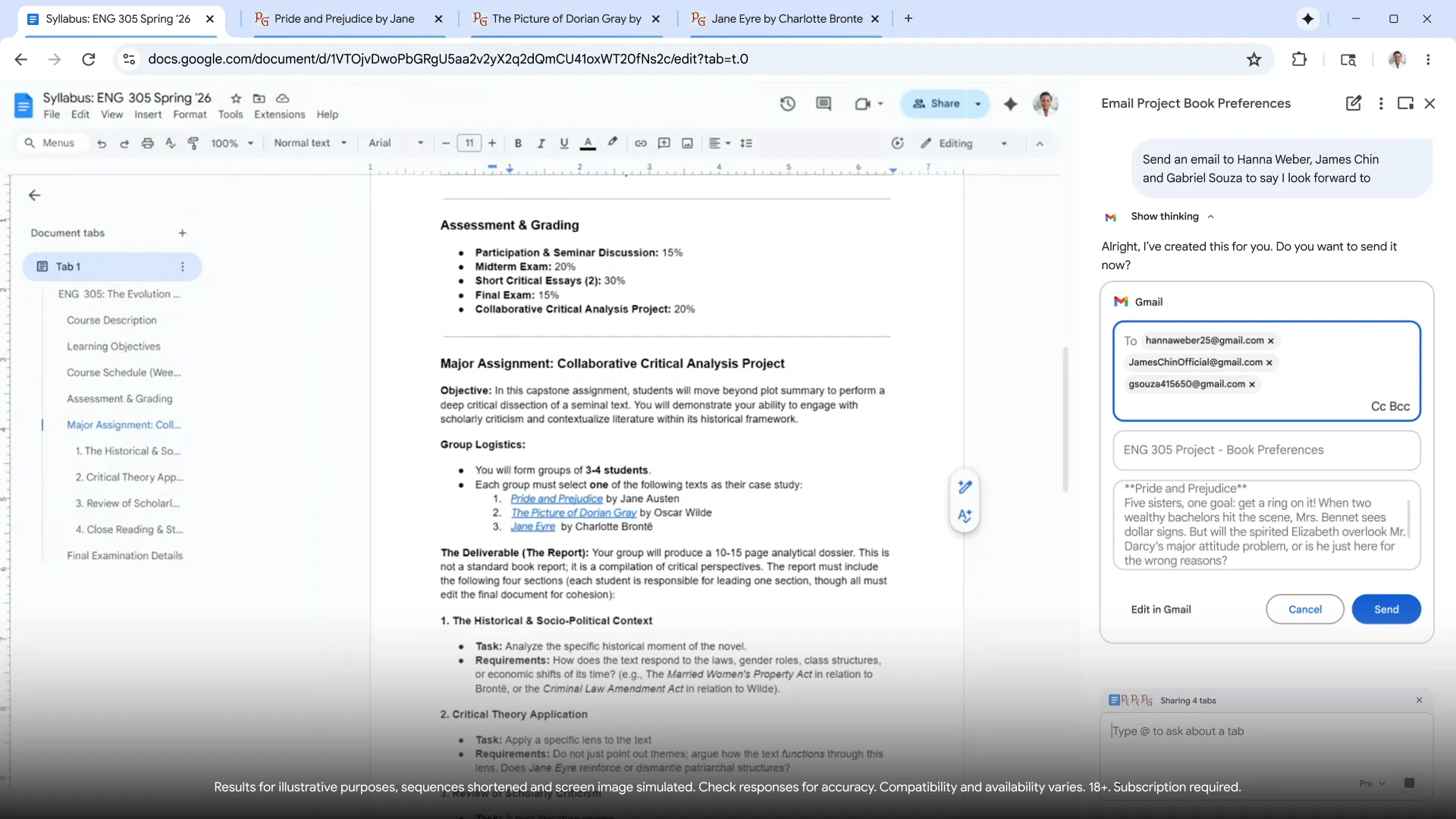
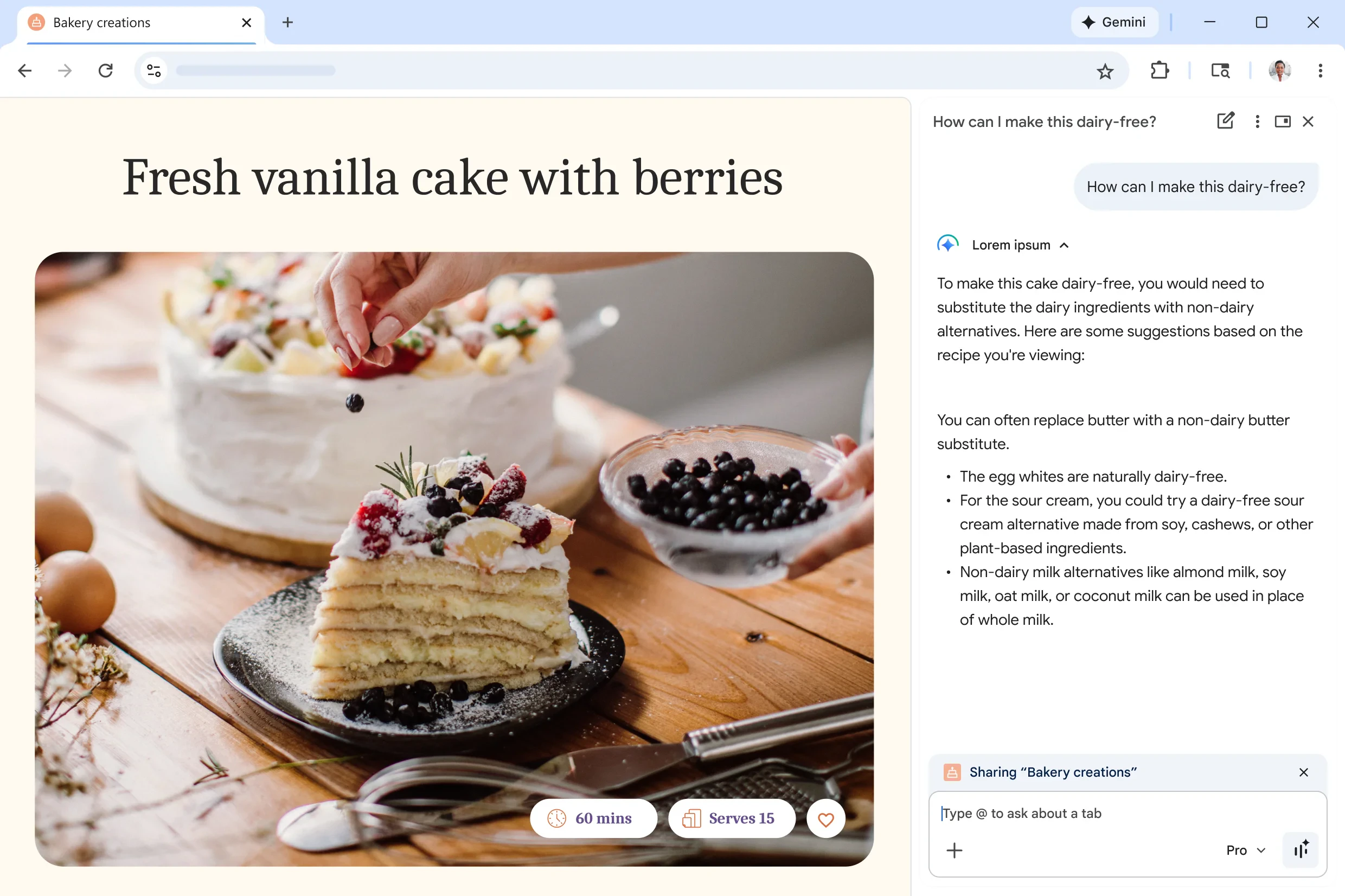
Gemini in Chrome embeds AI directly into your browsing experience, eliminating the need for constant tab switching and copy-pasting. It can summarize long articles, compare information across multiple tabs, draft and send emails, schedule events, and even transform images—all from a side panel within your current tab. Built on Gemini 3.1, it integrates seamlessly with Gmail, Calendar, Maps, and YouTube.

More in Productivity Tools

ClickUp 4.0
Today marks a new era of ClickUp, defined by craft, quality, and convergence. It’s the future of software, converging 50+ apps to maximize human productivity with AI. ClickUp 4.0 is polished, powerful, and perfectly crafted... and it's available for everyone, now.

Claude Computer Use
Anthropic’s Claude can now operate your computer like a human—clicking, typing, browsing, and running apps autonomously. With “computer use” and Dispatch, you can assign tasks from your phone and let Claude execute them on your Mac. From emails to reports, it bridges AI reasoning with real-world action.

Raycast for Windows
Stop fighting your computer. Raycast puts everything at your fingertips. After 5 years on Mac, Raycast is now on Windows. Launch apps instantly, search files in real-time, access hundreds of extensions like GitHub or Notion, and get AI answers. All from your keyboard. Download our public beta for free and discover what frictionless work feels like.

My Computer by Manus AI
Meet My Computer, the core feature of the Manus Desktop app. It brings Manus out of the cloud and onto your computer, letting your AI agent work directly with local files, tools, and apps. Organize thousands of photos, rename hundreds of invoices, or build Swift desktop apps without writing code. Combine with connectors, Projects, Agents, and Scheduled Tasks to automate workflows. Available now for macOS and Windows.